
The SD card it is the external storage
that allows you to store more photos, videos and files on your Android device. If it requires formatting, please use our tutorial.
Important : Please note that after
formatting the SD card, all data will be deleted !
Advertisement

In order to format the SD card on your andriod. Follows thefollowing steps
- Open Menu
- Select Settings
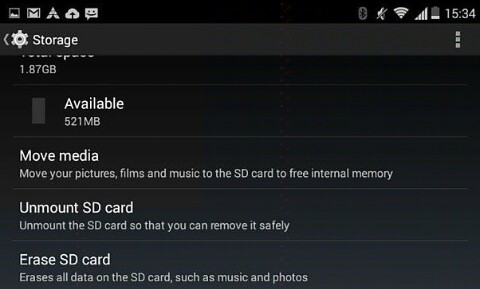
- Select Storage and Memory
- Select SD Card
- Select Erase SD Card
- Click on Erase Everything
it will show unmounting SD Card
…..Erase SD Card
wait untill is done