
Easy. Easy.. Easy…
Disclaimer : Changing of IMEI is illegal in some countries, and I will not be held responsible for any consequences that befall the changer. You bear FULL consequences for whatever that might occur after the IMEI number of your device. Remember to write down your original IMEI number and keep it safe in case anything goes wrong, then revert using same procedures for changing.
1. Open Mobile Uncle or MTK Engineer Mode Starter , click on » Engineer Mode » Engineer Mode (MTK)
2. Swipe left to Connectivity » click on CDS Information » Radio Information.
Now depending on your device, if your device is a dual sim phone, you can choose which sim you want to change its IMEI number. If it’s sim 1 choose “ Phone 1 ”, sim 2 choose “Phone 2 ”. After clicking on the phone you want to change its IMEI number, Here you can see a command line with “ AT+”, click on it to begin editing it. Now just add this command to it.
For Phone 1: “AT+EGMR=1,7,”YOUR NEW IMEI NO” For Phone 2: “AT+EGMR=1,10,”YOUR NEW IMEI NO”.
After that now press the “ Send At Command ”.
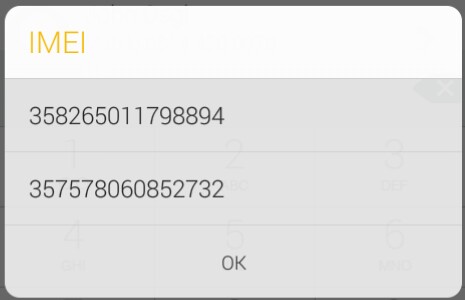
Reboot your phone and dial *#06# to check your IMEI number your phone and dial *#06# to check your
IMEI number IMEI number.
Enjoy your Day

863664038043450